Showing posts with label perl. Show all posts

06 October 2010

Why I like Perl, Reason #498

For a ${project} I am working on, I am writing an RPM install. I am quite picky about the code that I write -- I insist that the code must be bombproof and reliable. I also insist that the code play nicely with other things on the target system.

So, one of the things that my RPM install has to do is to modify /etc/sudoers . I could have written code that would have simply overwritten the target system's /etc/sudoers file with my own copy, but this doesn't seem right to me. My reasoning goes like this: this file is not exclusively mine to control, and I want to allow other {things} that use this system to be able to use /etc/sudoers too. Quite frankly, the thought of just blindly overwriting a file like /etc/sudoers makes my skin crawl.

One of the things that my code has to account for is that on the target OS the default version of sudo is old enough so that it won't work with a directory like /etc/sudoers.d . My code is pretty much limited to updating the sudo subsystem via the file /etc/sudoers -- that's it.

Another thing that my code has to account for is this: I anticipate that future versions of the ${project} will have further updates for /etc/sudoers. So, the RPM install is going to have to be flexible enough to be able to deal with a never-modified-by-my-code version of /etc/sudoers, as well as an already-modified-by-my-code version of /etc/sudoers.

I let my mind get creative when coming up with a solution to this problem. Naturally, I used one of my favorite tools to solve this problem: Perl.

Here is the solution I came up with:


perl -i -ne '

# clean out whatever is there in the first place
print if (! (/# XYZ Project BEGIN machine-generated section DO NOT MODIFY/
..
/# XYZ Project END machine-generated section DO NOT MODIFY/));

if (eof) {
print <<'EOF'
# XYZ Project BEGIN machine-generated section DO NOT MODIFY
tomcat ALL= /usr/sbin/dmidecode
# XYZ Project END machine-generated section DO NOT MODIFY
EOF
;
} ' /etc/sudoers


In the next version of the RPM install, if somebody needs to update the stanza in the sudoers file, all they need to do is update the "here-document" here in this code, and they're done. Very easy!

So, there you have it: a clean, reliable, easy-to-understand, one-pass solution to the problem at hand. I'm a big fan of solutions like this.

26 April 2010

Text Editor Fu

I enjoyed reading "Staying the hell out of insert mode". I have to concur with the author of this article: insert mode is not the most powerful mode in vi.

I don't claim to be some sort of text editing guru or anything. In my career I've met some people who can do some awesome things with their text editor. I always like learning new tricks and techniques.

Getting back to the article that I mentioned above, for me, the reason why insert mode in vi isn't the most powerful mode in vi is because in command mode you can do things like
'c,.!perl -pe 's/foo/bar/'
...and, if you know anything at all about me, you know that I have a thing for Perl one-liners...

I'm not really a heavy-duty vi user though. I'm more of an XEmacs user. In Emacs/XEmacs, you'd type something more like:
C-u M-| perl -pe 's/foo/bar/'
The one person who reads this blog might be wondering "why not use the natural capabilities of the text editor itself to do transformations like this?". To this I pretty much have to shrug and respond "this works for me". It is probably safe to say that a huge percentage of the code I have ever produced in my life has been produced through keystrokes that start with "C-u M-|".

Basically, I am lazy and I would rather let the computer do the typing for me...

21 December 2008


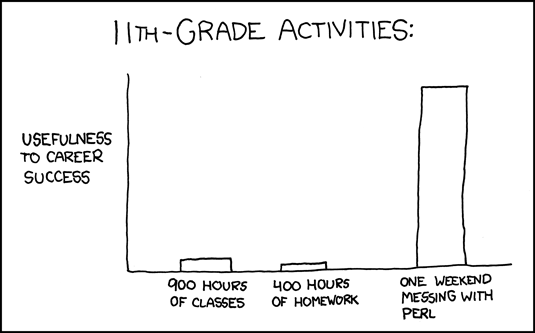
Another dose of truth from XKCD.

09 March 2008

Ack is my favorite new tool

Ack is my favorite new tool. I highly recommend it. It is even written in my favorite programming language -- you know, the one with the really supercharged and usable regexp library.

Over the years, I have written some handy tools in this area....like for example, my "txtfind" shell alias:

 
   # put this in your .bashrc/.kshrc/etc.
  txtfind () {
    if [ $# -eq 0 ] ; then
       txtfind .
    else
       perl -MFile::Find -e 'find(sub{ print "$File::Find::name\n" if (-f && -T); }, @ARGV);' "${@}"
    fi
  }


This alias takes an (optional) list of directory names and searches underneath them -- when a "text" file is found, the filename is printed. To a shell hacker like me, it is very common to type things like:
txtfind /etc | xargs grep 192.168.9.37
...if, for example, I wanted to figure out why a machine was configured to use some strange IP address. This beats typing something like:
find /etc -type f -print | xargs grep 192.168.9.37
...because, of course, this will likely cause grep to troll through some binary files. In the end, this might hose your terminal.

I even have shell aliases like "binfind" and "dostxtfind". I have another alias called txtfind0 that allows me to use it in this manner:
txtfind0 /usr | xargs -0 grep foo
...but with this new tool, ack, I'll be able to eliminate a lot of hassle by simply typing something like:
ack --type=text foo /usr
That's not to say that things like my txtfind0 alias are now obsolete. Let's say, for example, I wanted to find a file that contained both the phrases "weapons of" and "mass destruction" -- in this case it would be as easy as:
txtfind0 /usr/secret | \
xargs -0 perl -l -0777 -ne 'print $ARGV
if (/weapons of/i && /mass destruction/i)'
But, just the same, I am enthusiastic to have a great new tool in my arsenal. Ack has a bunch of other features that I haven't really touched on here (my favorite is its intelligent ability to skip files in .svn directories) -- I encourage everybody to check ack out.